
Aircraft FAQ
Using the Virtual Crew
Instructions on using the CSS Virtual Crew.
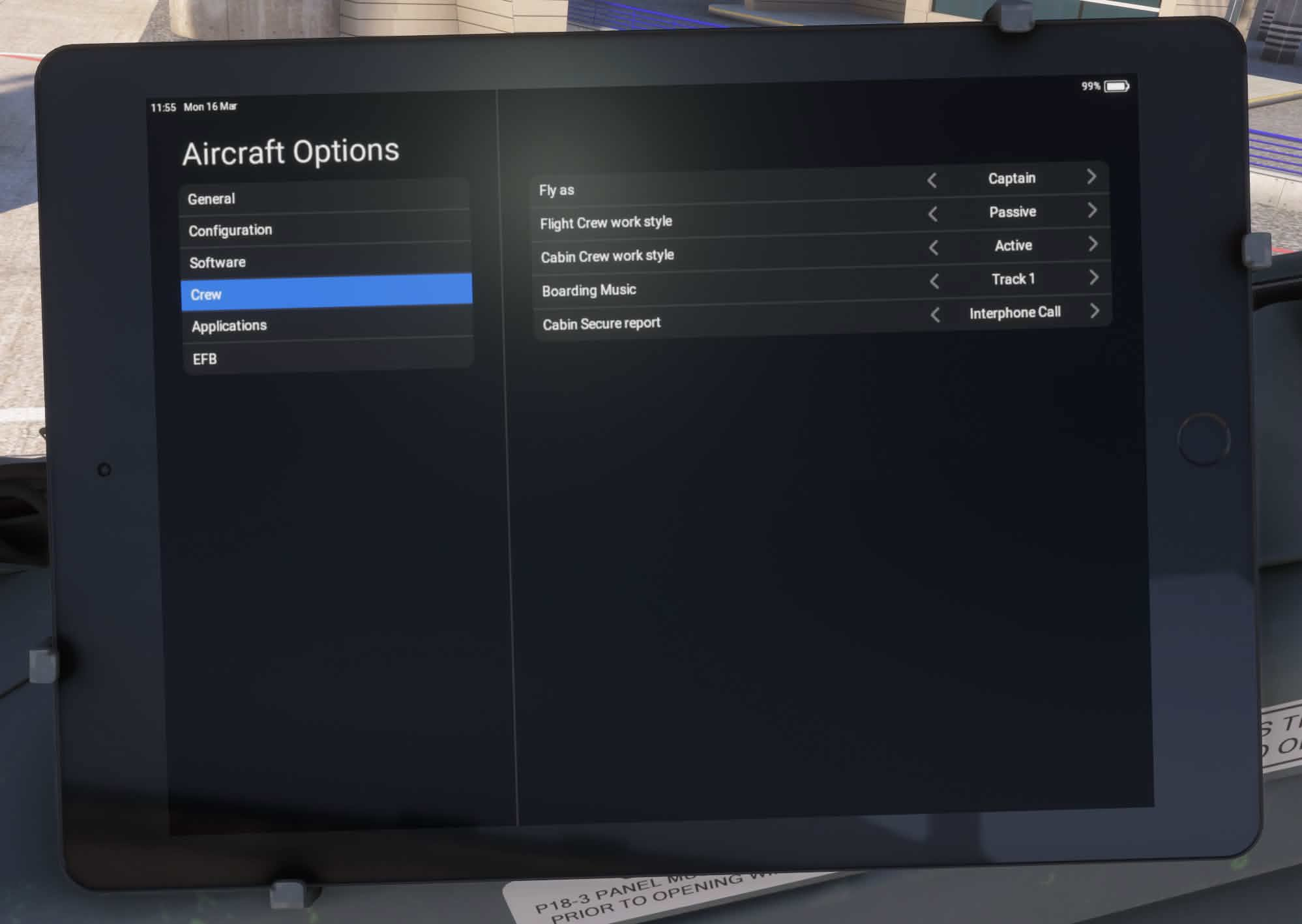
The Virtual Crew can be configured via the Crew tab of the EFB settings app.
Article media
Fly As: Captain or First Officer (only Captain is available at the moment)
Flight Crew work style: Active: Virtual FO makes takeoff callouts and controls FO display brightness. Passive: Virtual FO makes takeoff callouts only. Inactive: Virtual FO disabled.
Cabin Crew work style: Active: Virtual Cabin Crew arms and disarms doors, controls cabin lighting, PA and Music Volume, makes Cabin Announcements. Passive: Virtual Cabin Crew arms and disarms doors and controls cabin lighting. Inactive: Virtual Cabin Crew disabled.
Boarding Music - allows you to select which music track will be played during boarding, or to disable music altogether. This simulates instructing the Purser to select a track, so the track cannot be changed if music is already playing.
Cabin Secure Report - allows you to select how the Purser will report that the cabin is ready for takeoff and landing - no report, 1/2/3/4 chimes or an interphone call.
How do I answer the cabin crew's call?
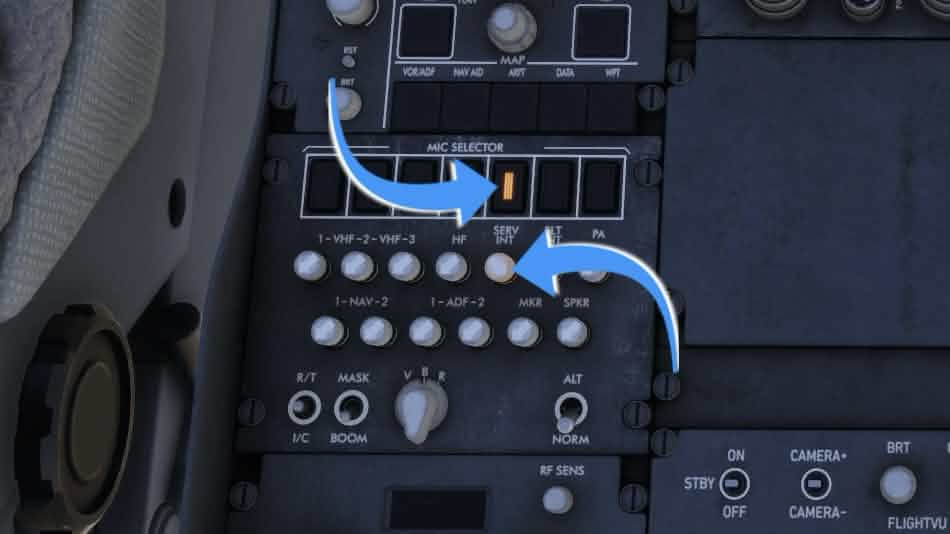
Select the SERV INT on the Mic Selector and push and turn up the SERV INT volume knob on the ACP.
This only works if the Cabin Secure report EFB option is set to Interphone call.
Article media
How do I hear the Cabin Announcements?
Cabin Announcements will play if:
The Cabin Crew work style EFB setting is set to Active;
The Real or Fast EFB loading option is selected and used.
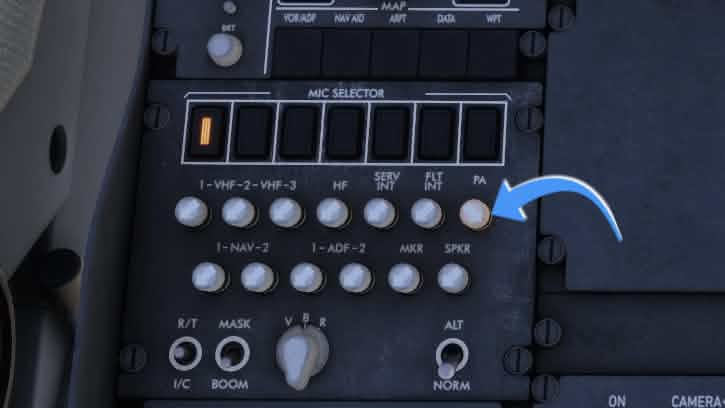
With the cockpit door closed, cabin announcements would sound muffled, as in real life. To hear them better, you can open the cockpit door or push and turn up the PA volume knob on the ACP.
Article media
My FO display brightness turned up by itself!
With the Flight Crew work style EFB setting set to Active, the virtual first officer will control display brightness.
Related articles
Browse similar articles
Need support?
Open the CSS Support Center
Source: CSS Launcher User Manual, Rev. 5 — December 2025.