
Aircraft FAQ
Using the Takeoff Card
Instructions on using the Takeoff card.
Updated 2026-05-30
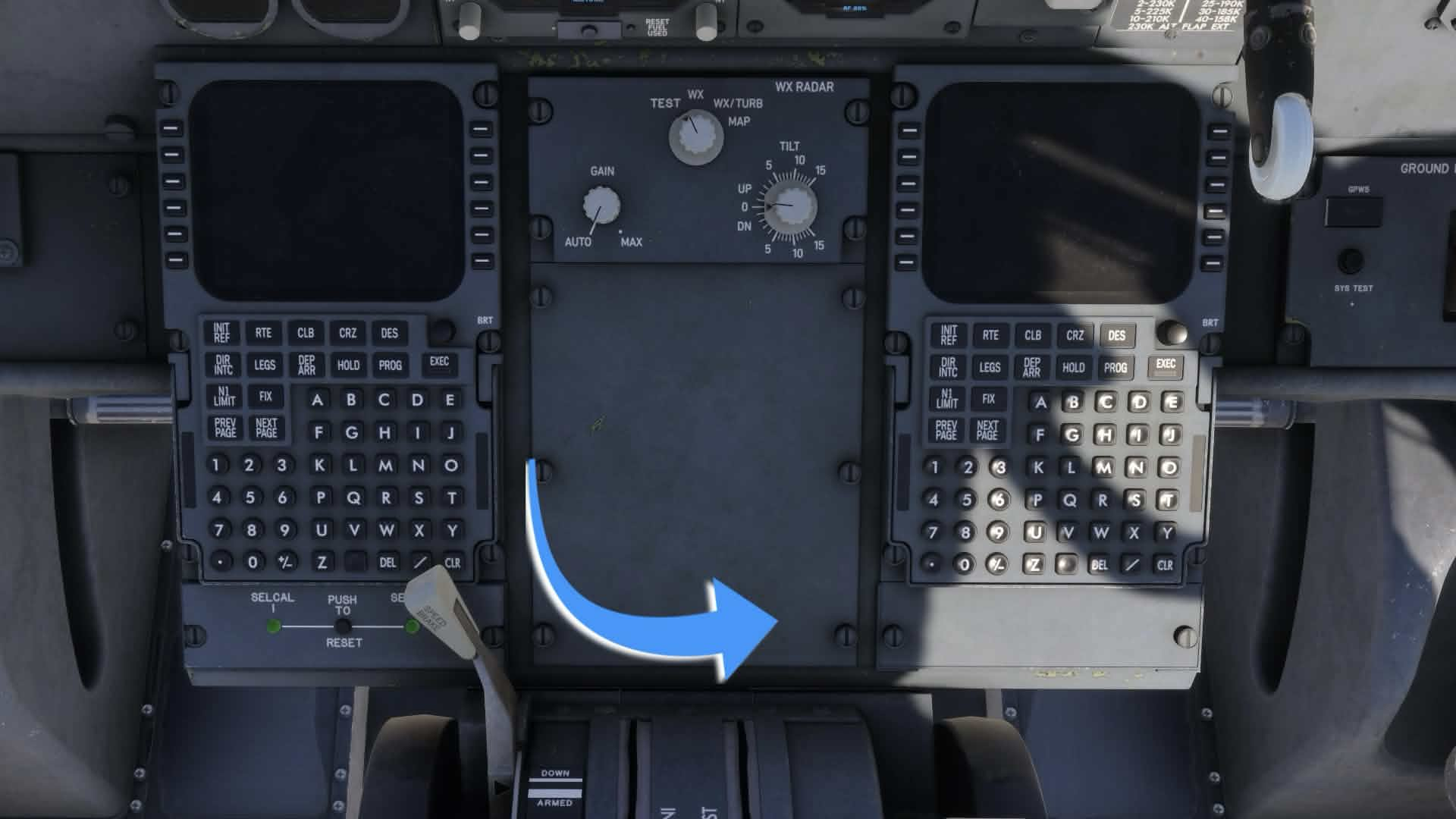
How do I toggle the Takeoff card?
The clickspot is located at the bottom right corner of the panel between the 2 FMCs.
Article media
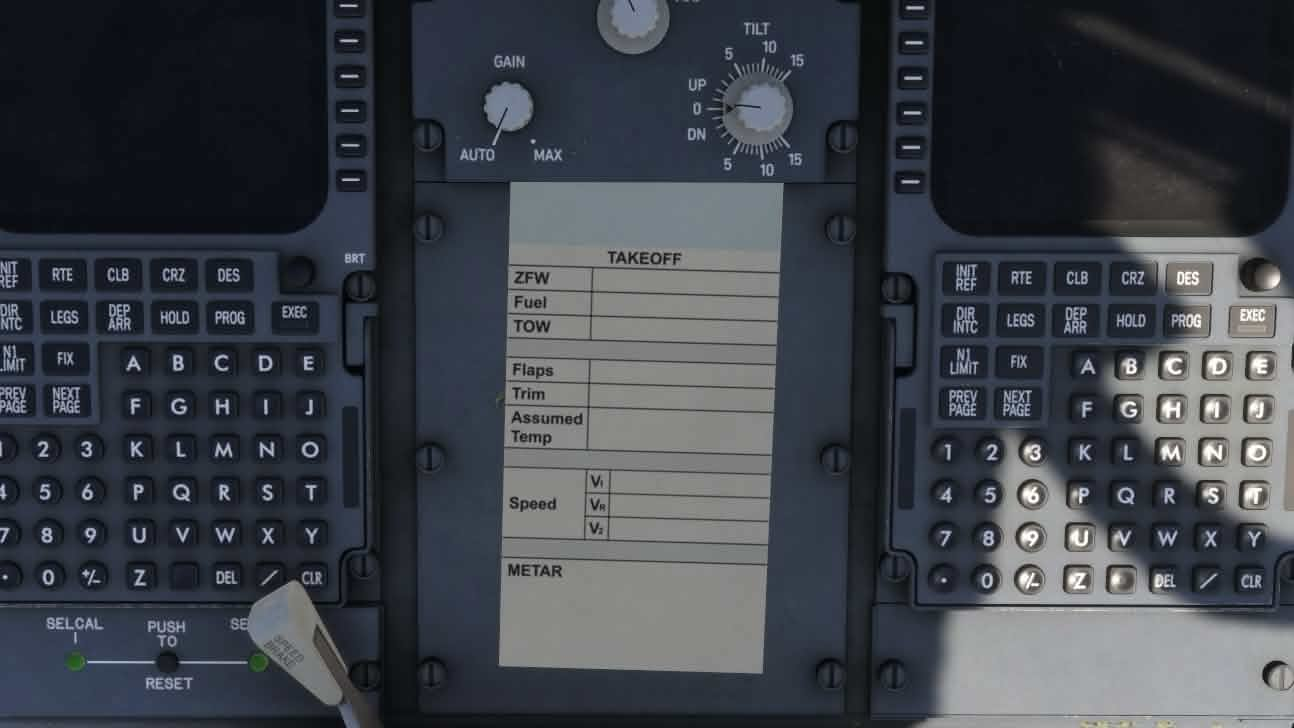
My Takeoff Card is empty!
The Takeoff Card is populated with EFB data from the SimBrief, Load and Performance apps. You must have an active SimBrief flight selected, have the aircraft loaded, and proper takeoff data entered in the Performance app for the Takeoff card to display correct values.
Article media
Related articles
Browse similar articles
Need support?
Open the CSS Support Center
Source: CSS Launcher User Manual, Rev. 5 — December 2025.