
Aircraft Customization
Crew Sound Packs
Instructions on creating your own Crew Sound Packs.
The CSS 737 allows you to create your own, airline-specific Crew Sound Packs.
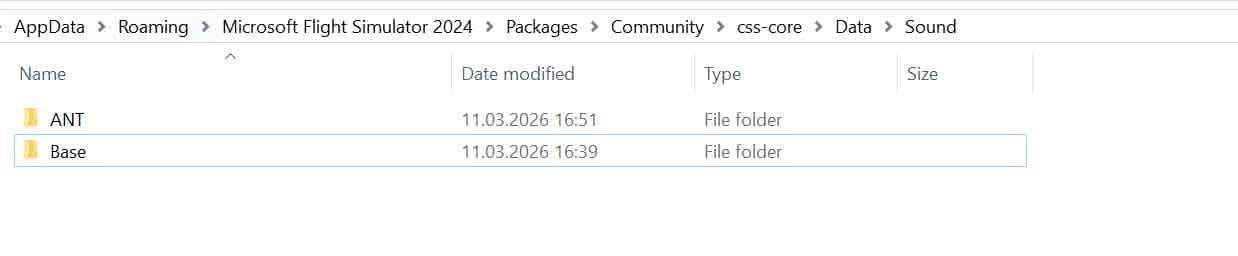
Crew Sound Packs are located at:
Community\css-core\Data\Sound
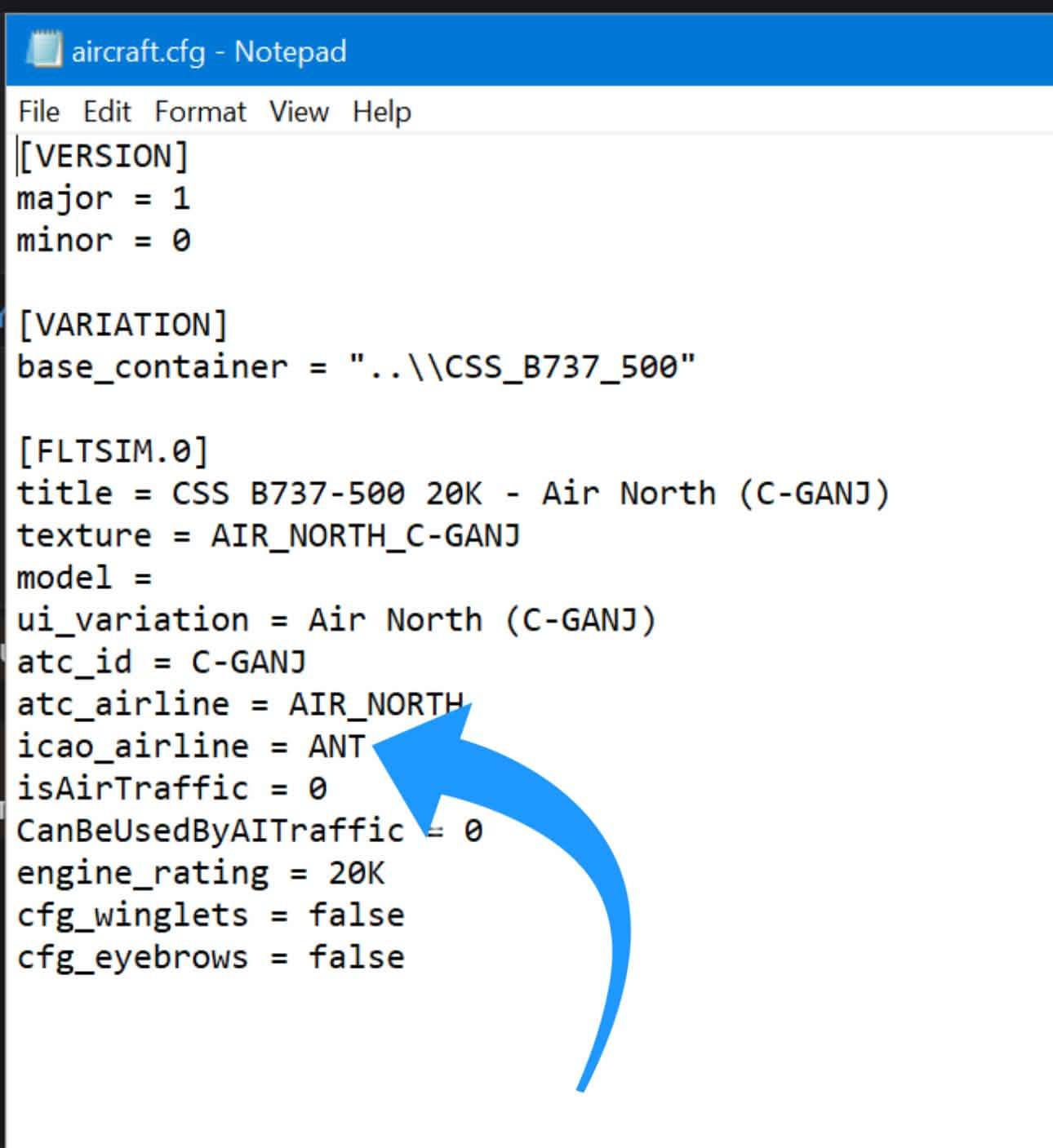
Your Sound Pack folder name should consist of the three-letter airline ICAO identifier, matching the livery's icao_airline entry in its aircraft.cfg.
Article media
Article media
Use the folder structure and file names of the Base sound pack as reference:
Announcements - Cabin Announcements.
CP - Reserved for future use.
FA - Cabin Secure interphone calls by the Purser.
FO - First Officer callouts
Music - Boarding music
The Base pack is used as a fallback, so if any files are missing from your sound pack, these files will be played from the Base pack instead.
If you wish to entirely remove a cabin announcement or other sound from your sound pack, you can create an empty .mp3 file with the name of the file you wish to omit.
Sound File Names
Announcements:
• "01.Boarding" — during boarding after EFB loading initiated.
• "02.BoardingComplete" — when EFB loading finished.
• "03.ArmDoors" — when boarding complete and doors closed.
• "04.SafetyBriefing" — timered.
• "05.TakeOffReady.Day|Night" — timered.
• "06.AfterTakeOff" — when radio altitude > 500 ft.
• "07.Climb" — when seatbelt light is off.
• "08.Enroute" — after reaching FMC cruise altitude.
• "09.Service" — after service prep.
• "10.DescentReady" — when distance to TOD < 80 nm.
• "11.DescentBegin" — when entering descent and seatbelt light is on.
• "12.LandingReady.Day|Night" — when flaps are deployed (approach).
• "13.AfterLanding" — when on ground (low GS).
• "14.DisarmDoors" — when seatbelt light is off.
• "15.Disembark" — when doors opened.
FA:
• "Interphone.CabinSecure.TakeOff" - Cabin Secure for Takeoff interphone call.
• "Interphone.CabinSecure.Landing" - Cabin Secure for Landing interphone call.
FO:
• "80Knots" - 80 knots call.
• "FMA.ThrHold" - Throttle Hold FMA call, reserved for future use.
• "PositiveRate" - Positive Rate call.
• "Rotate" - Rotate call.
• "V1" - V1 call.
Boarding Music:
Selectable via the EFB.
• "Track0" - Track 0.
• "Track1" - Track 1.
Related articles
Browse similar articles
Need support?
Open the CSS Support Center
Source: CSS Launcher User Manual, Rev. 5 — December 2025.